Patient notes software. Less typing. More time for care.
Practice Master Pro is patient notes software built around the way allied health professionals work. Create templates for your discipline, reuse common answers and keep diagrams and handouts with the patient record. Explore optional AI tools for consultation transcripts and draft notes, all within your clinical workflow.
Patient notes software that simplifies clinical documentation.
From an initial assessment to a follow-up, keep your notes clear and consistent. Combine structured questions, reusable answers and free text to record each consultation in the format that suits you.
Capture consultations with AI Scribe
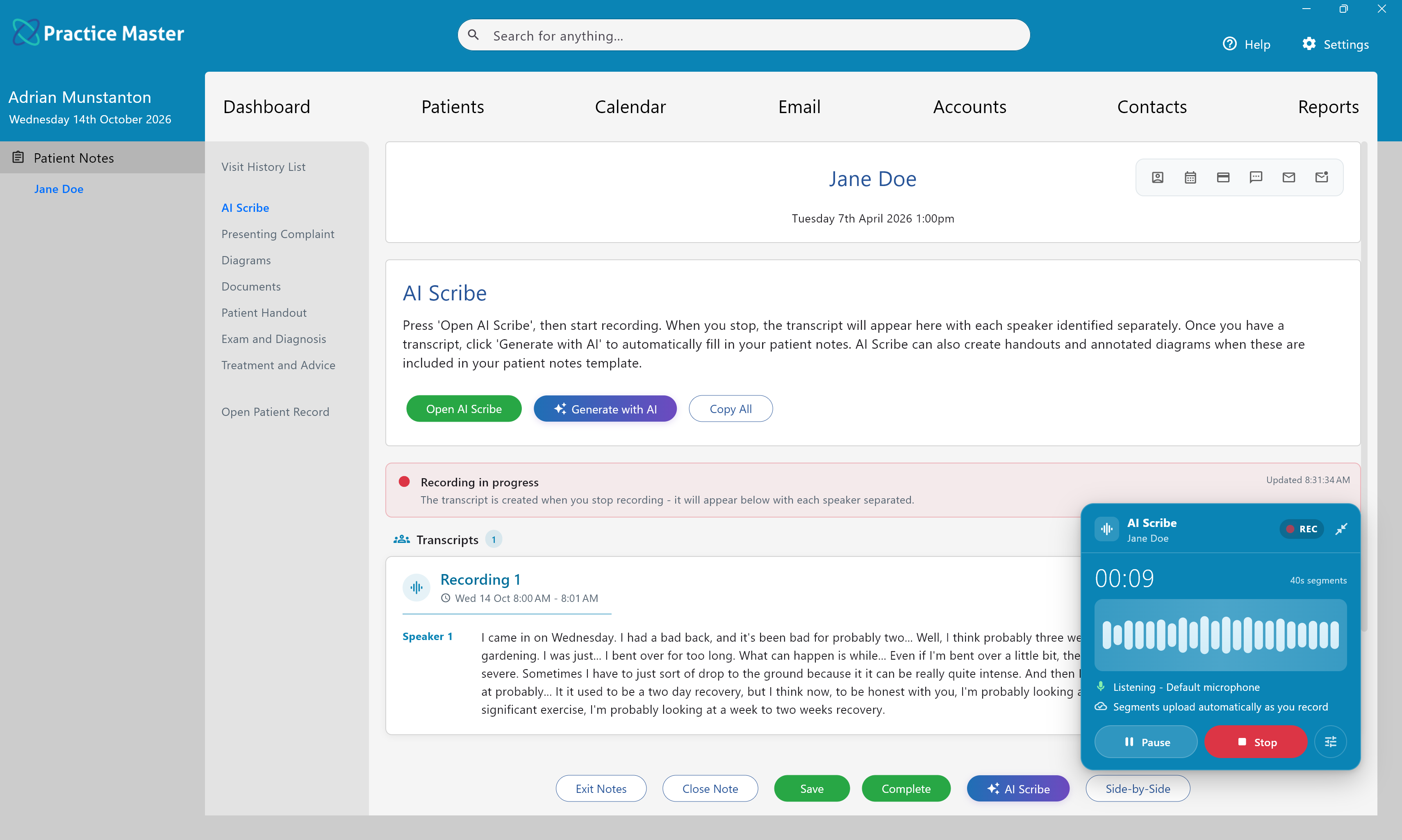
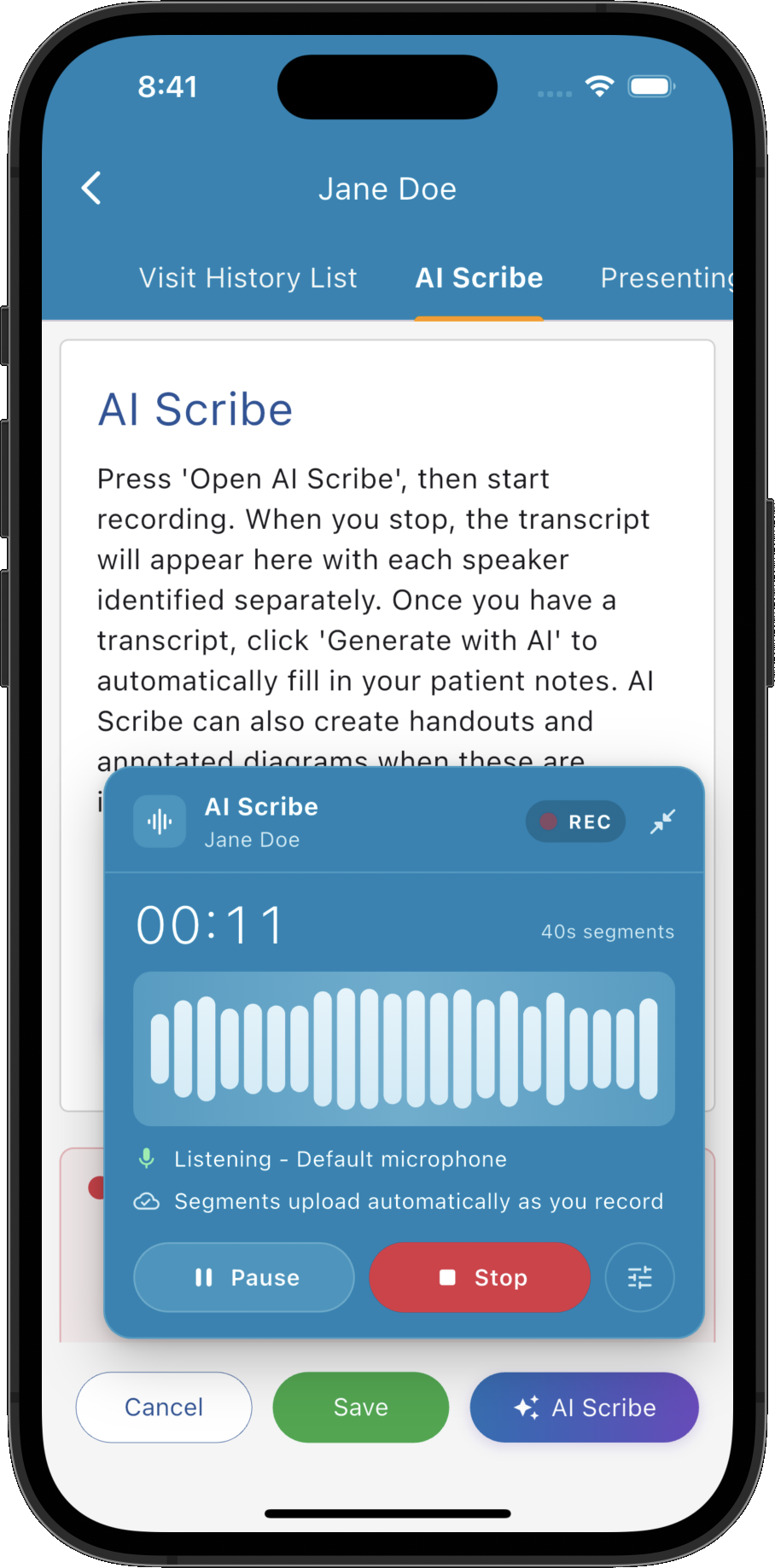
Record the conversation and bring the transcript directly into your patient notes. Optional AI licence required.
Explore AI Scribe →Draft notes with AI Patient Notes
Turn consultation transcripts into draft notes in your own templates, ready to review and refine. Optional AI licence required.
Explore AI Patient Notes →Templates that fit your practice
Shape your notes around your discipline, appointment type and consultation style, with templates you can customise.
Common answers in fewer clicks
Record routine details with tick boxes, lists and saved wording. Add free text whenever the consultation needs more detail.
A head start on follow-ups
Bring relevant notes forward from an earlier visit, then review and update them to reflect today's consultation.
Visual clinical records
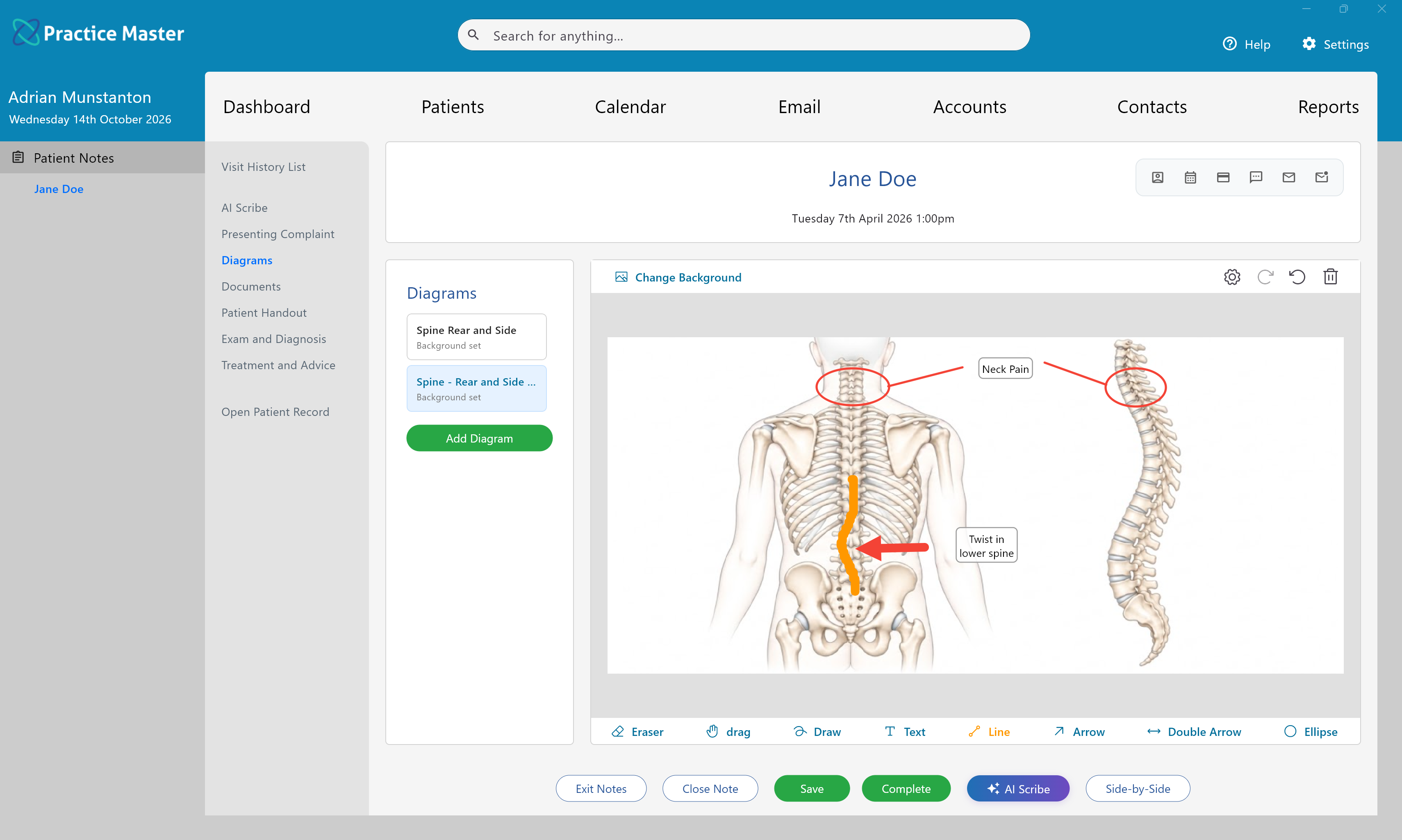
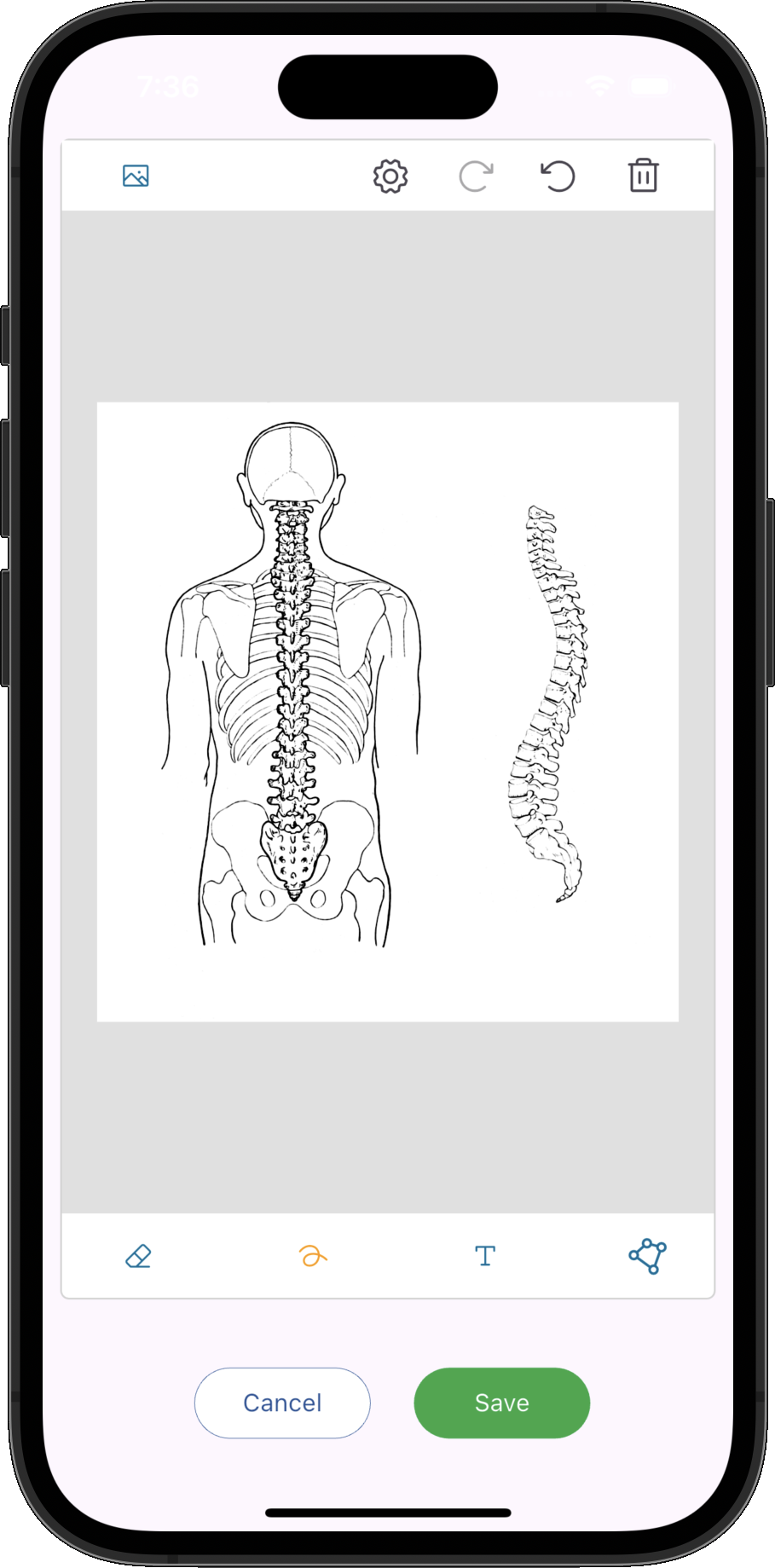
Mark findings and treatment areas on diagrams and body charts, then keep them alongside your written notes.
Stay with the conversation. Capture it with AI Scribe.
Give your patient your attention while AI Scribe records the consultation. Open the recorder from patient notes, capture the conversation and receive a transcript in your AI Scribe tab, ready to use when preparing your notes.
- ✓ Start recording from your patient notes workflow
- ✓ Keep recording while you navigate through the app
- ✓ Capture a session in one recording or add further recordings
- ✓ Keep the transcript available within your patient notes
Turn the transcript into a draft in your own templates.
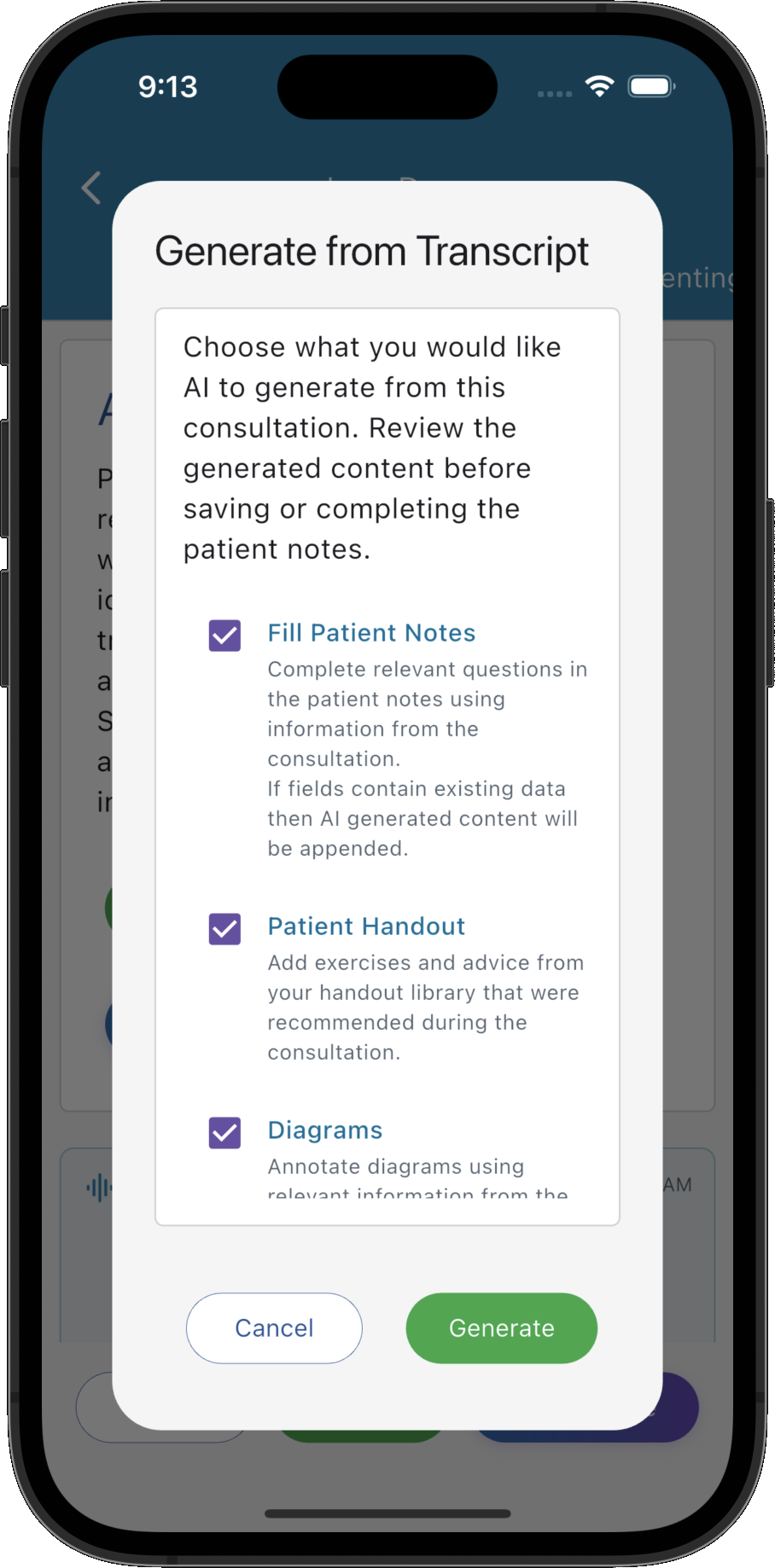
Use AI Patient Notes to generate draft notes from the consultation transcript. Fill your custom template and choose whether to prepare library handouts or annotated diagrams. Review, refine and save with your clinical judgement guiding the final record.
- ✓ Generate notes in the templates your practice uses
- ✓ Populate text fields, custom lists and multiple choice questions
- ✓ Choose options for patient handouts and annotated diagrams
- ✓ Review and edit the results before finalising your notes
AI Scribe and AI Patient Notes require an optional AI licence. They are not included in the standard free trial.
Explore AI Patient Notes generation →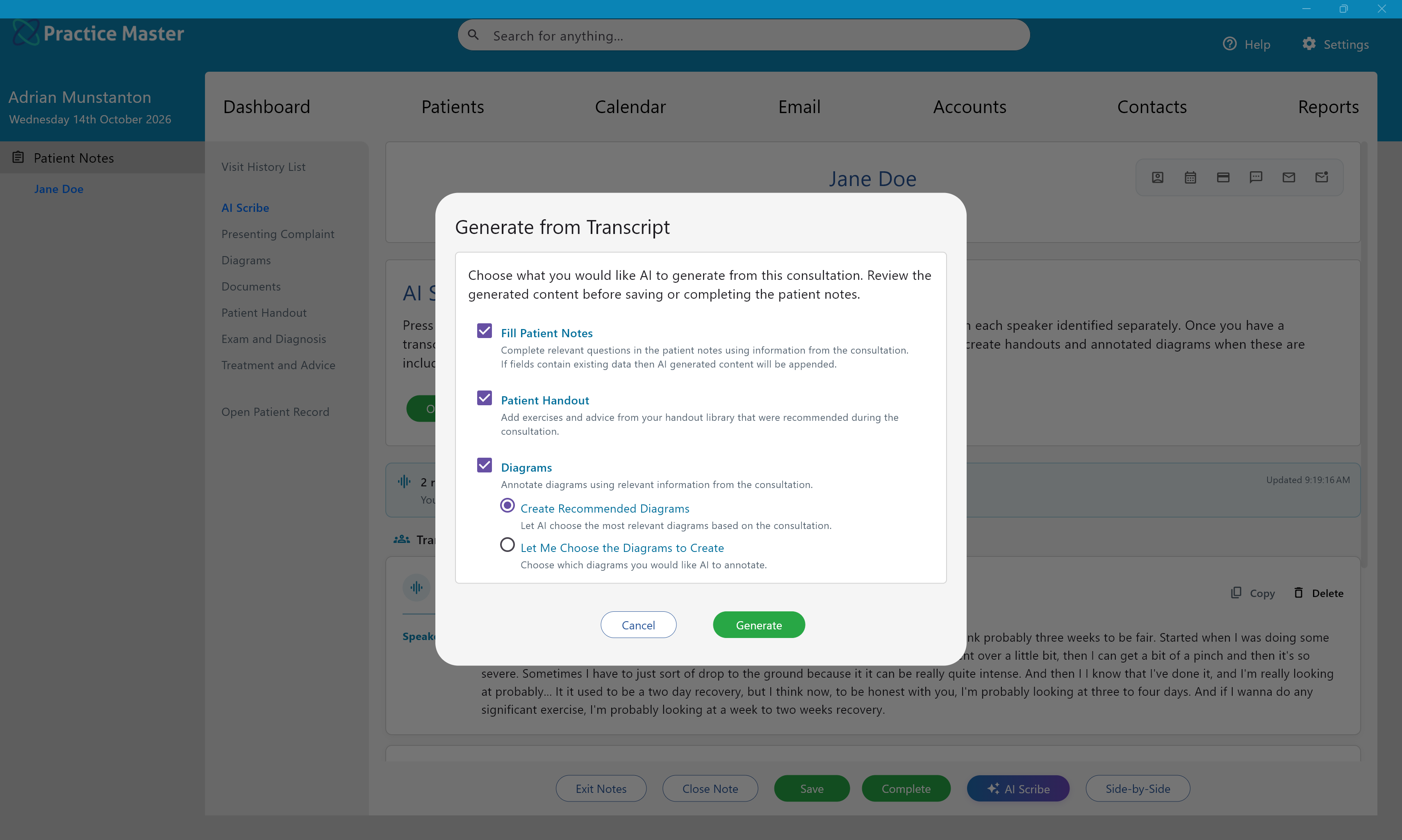
Take notes in the way that works for you.
Your clinical approach shapes the information you need to record. Create templates for assessments, follow-ups and specific conditions, with questions and terminology that suit your work. Each practitioner can use their preferred format within the same practice.
- ✓ Build templates for each discipline and appointment type
- ✓ Tailor initial assessments, follow-ups and condition-specific notes
- ✓ Combine structured fields with room for clinical detail
- ✓ Let each practitioner work with the templates they prefer
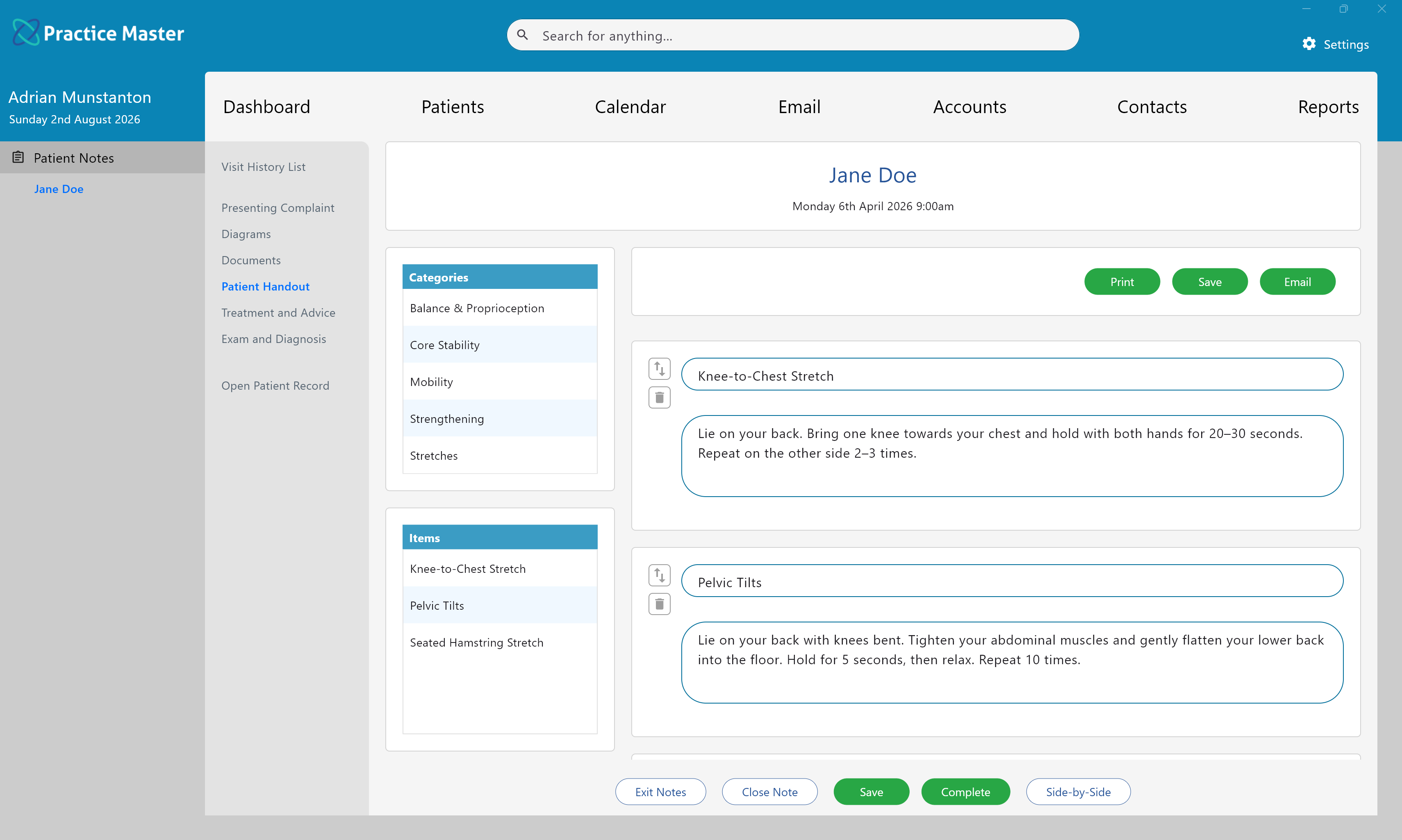
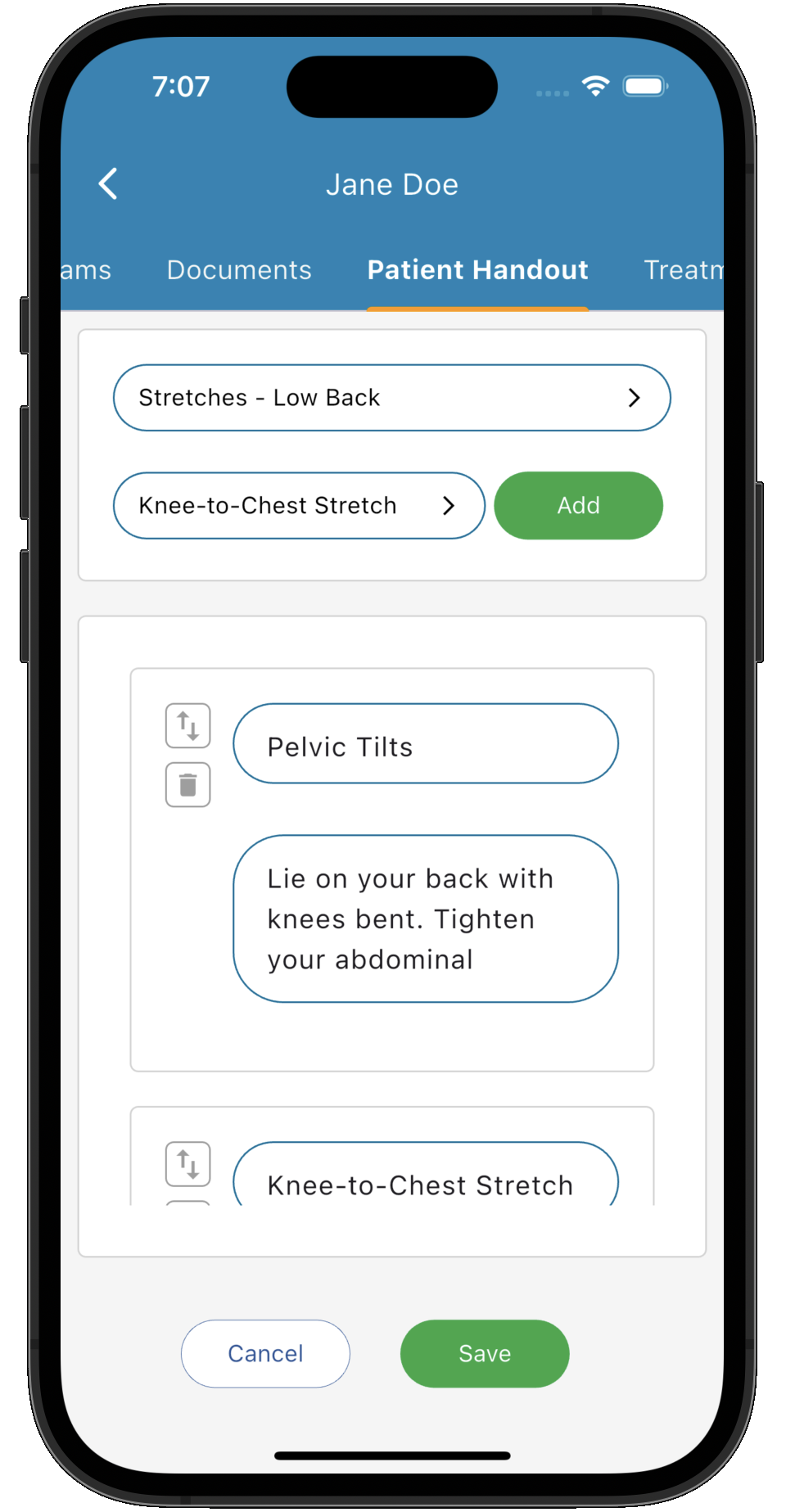
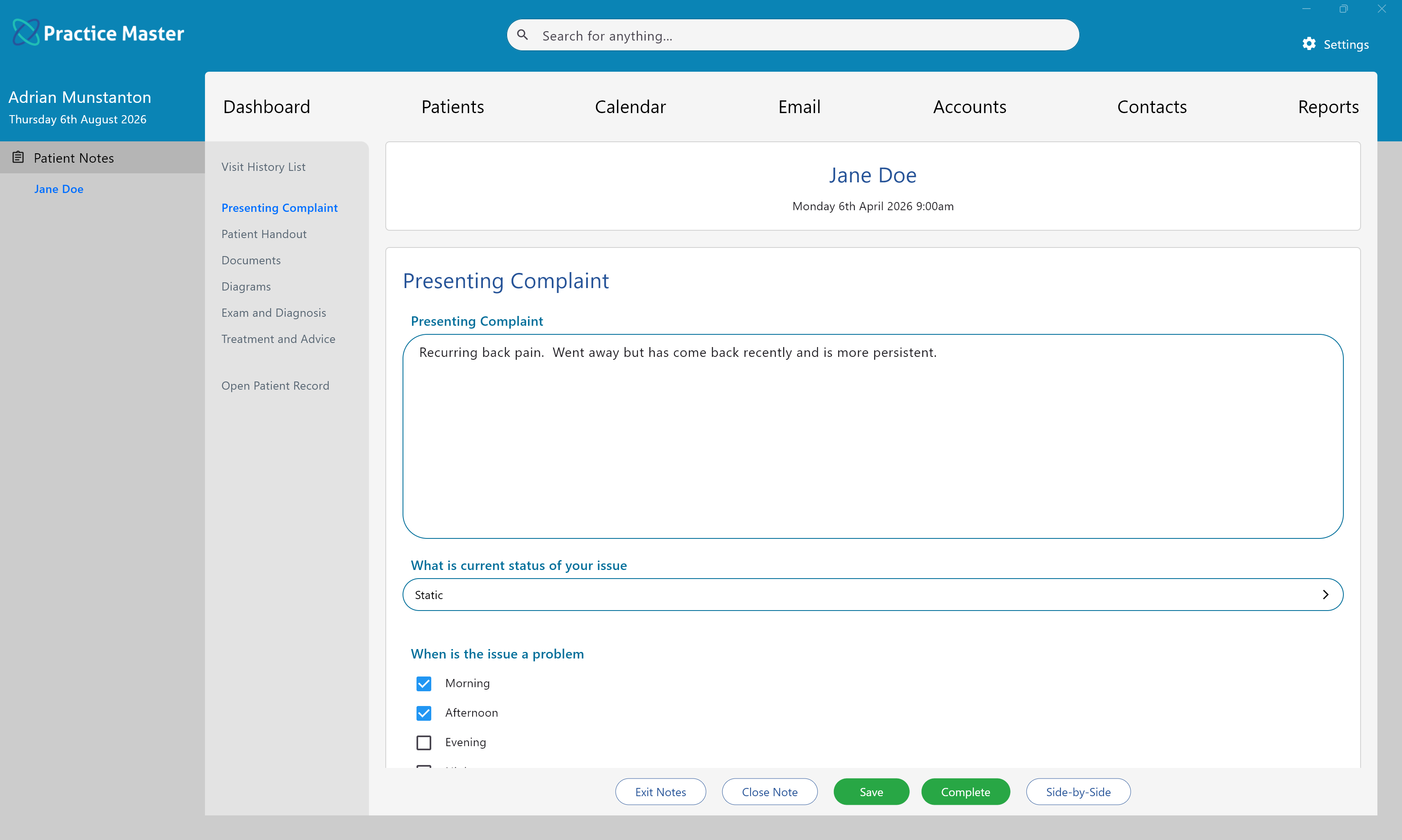
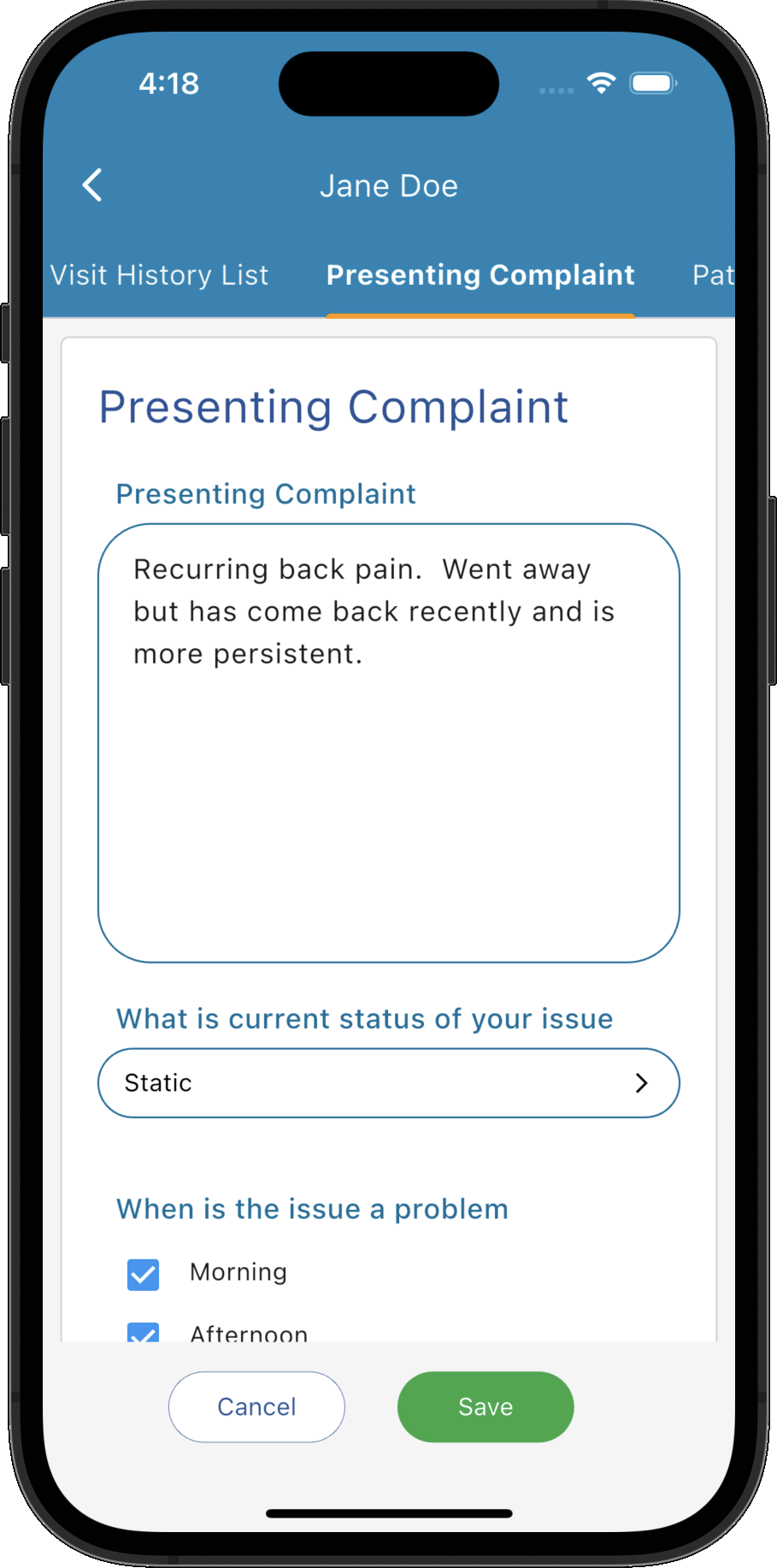
Save your typing for the details that matter.
Capture familiar findings with selectable answers and save the wording you use regularly. For follow-up appointments, bring relevant information forward and update it. Keep the flexibility to describe each patient's individual presentation.
- ✓ Select common answers with tick boxes, multiple choice and lists
- ✓ Reuse saved wording for recurring observations
- ✓ Copy and update relevant details from earlier visits
- ✓ Add free text to capture the patient's individual story
Show exactly where it matters.
Record findings visually with anatomical diagrams, body charts or your own backgrounds. Draw, highlight and label during the consultation, keeping a visual record alongside your written observations.
- ✓ Mark findings with freehand drawing, lines and circles
- ✓ Add labels and comments where they are needed
- ✓ Use several diagrams to document one consultation
- ✓ Review visual records within the patient's clinical history
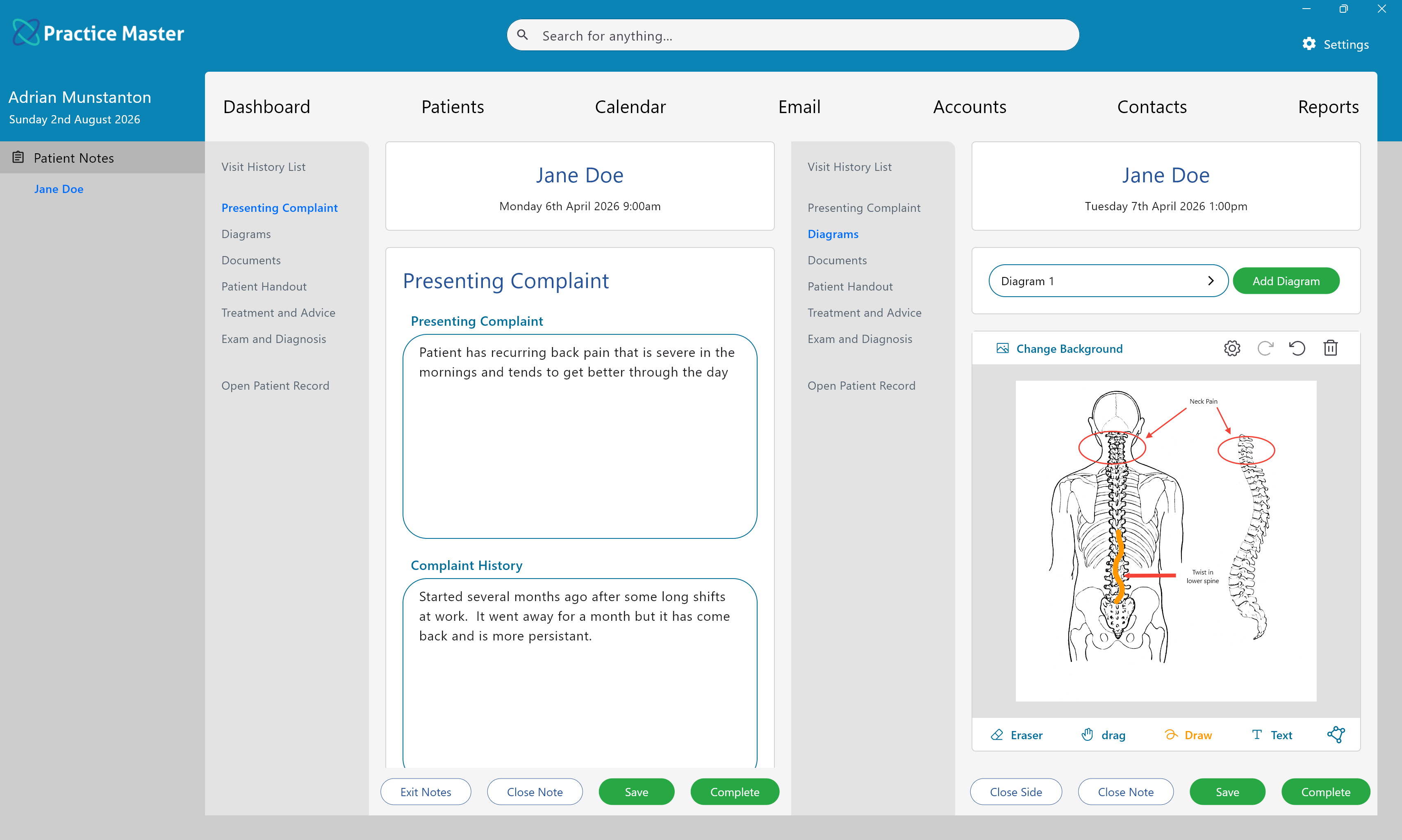
Keep the last visit in view as you document this one.
View consultation notes side by side to compare findings and review progress. Copy an earlier treatment note into a new consultation when useful, then edit it to reflect the current visit.
- ✓ Compare consultation notes side by side
- ✓ Carry forward relevant information and update it
- ✓ Keep each note linked to the patient's wider record
- ✓ Follow changes in findings and treatment across visits
Turn your recommendations into something patients can use.
Prepare prescriptions, take-home advice and personalised documents within your clinical workflow. Keep the next steps close to the notes that informed them.
Prepare prescriptions
Create prescriptions from the patient record or notes, keeping your recommendations connected to the patient's clinical information.
Personalise take-home advice
Combine reusable handout items into advice tailored to the patient. Print or email the finished handout directly from Practice Master Pro.
Create patient-specific documents
Save time with reusable document templates. Use merge fields to add patient details to letters and other formatted material.
Your patient notes, on the device that suits you.
Work through dedicated apps for Windows, Mac, iPhone, iPad and Android. Your cloud-hosted patient records keep notes connected, so authorised team members can access the current information across supported devices.
Keep the full picture together
Find clinical notes within the patient record, alongside the other information your practice relies on.
Choose how you work
Use your Windows or Mac computer, iPhone, iPad or Android device to create and review notes.
Keep your team in step
Centrally stored records give authorised users access to the same up-to-date patient information.
Built for your discipline. Ready for your team.
From naturopathy and chiropractic to physiotherapy, speech therapy, podiatry, acupuncture and dietetics, tailor your notes to the work you do. Practitioners can use their own templates while sharing one connected practice system.
Physiotherapy, osteopathy & chiropractic
Bring assessments, treatment observations and annotated body charts together in each consultation.
Speech therapy, psychology & counselling
Combine detailed narrative notes with structured questions tailored to your assessments and follow-ups.
Naturopathy & dietetics
Keep detailed histories, prescriptions and personalised handouts within your consultation workflow.
Podiatry, acupuncture & massage
Document findings and treatment with custom questions, free text and diagrams suited to your discipline.
Multi-disciplinary practices
Let each discipline use its preferred templates while keeping patient information in one practice system.
Your individual approach
Choose the questions, terminology and layout that help you capture the details you need.
Make your next consultation easier to document.
Try Practice Master Pro patient notes software free for 14 days. Explore custom templates, diagrams and handouts, and see how it fits your clinical workflow. Optional AI features are available with a separate AI licence and are not included in the standard free trial.