Ask for what matters to you
Focus on a condition, treatment goal, result or question of your own. Direct AI to the details you want from notes and supporting documents, and choose the time period and level of detail.
Turn patient notes and attached documents into clear charts, meaningful comparisons and focused consultation briefings. Tell AI Insights what you want to explore, and bring the information that matters into view.
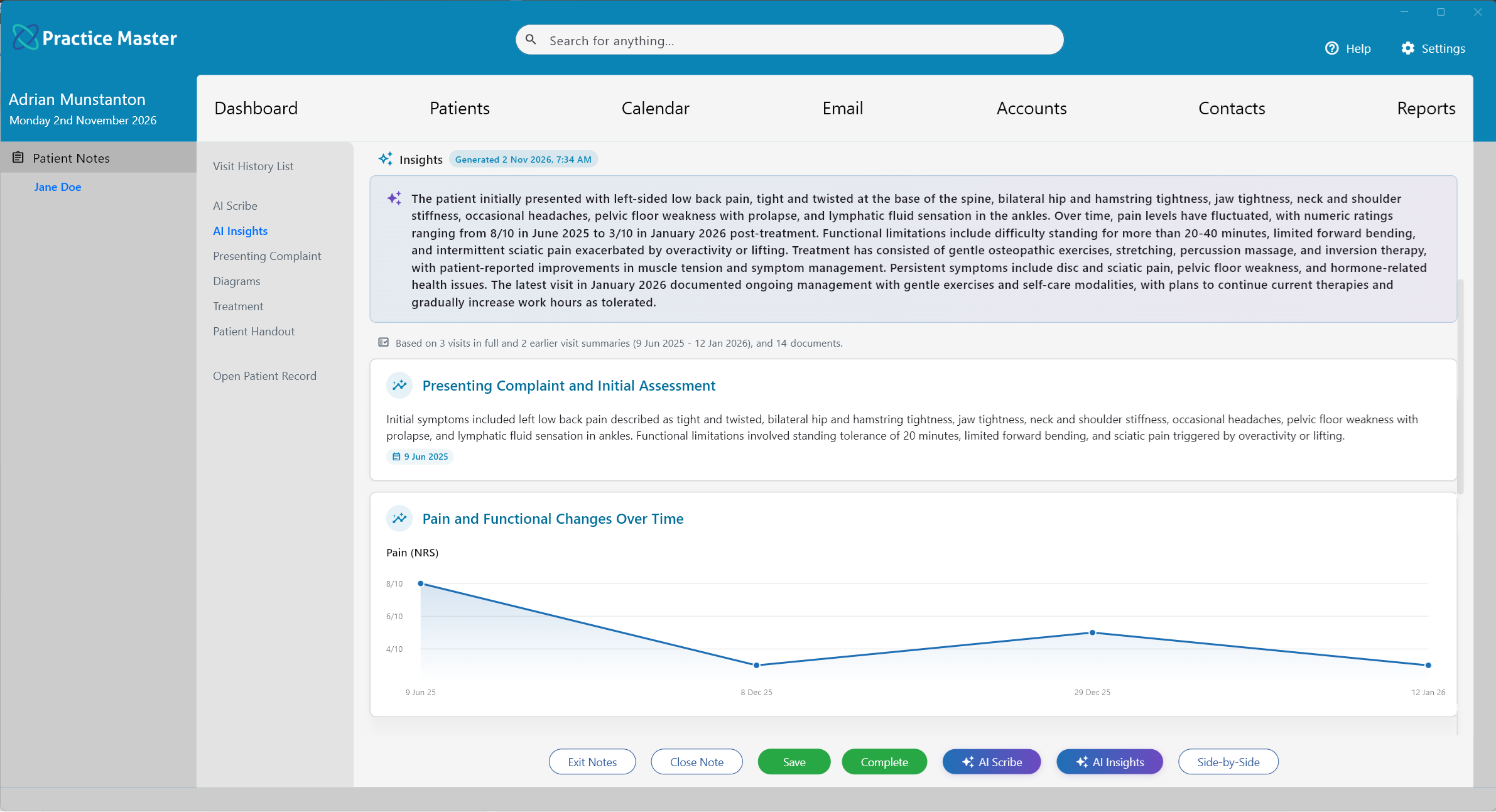
Tell AI what you want to find across your patient's available history, documents and attached files. Use your own AI Hints to pull out the information that matters to you, make connections across visits and choose how the results are presented — from a short answer to a detailed report, table or chart.
Add multiple AI Insights tabs to your patient notes, each with its own name, purpose and instructions. Create one to review progress, another to chart trends and another to do the background prep for you to review before your patient arrives.
Focus on a condition, treatment goal, result or question of your own. Direct AI to the details you want from notes and supporting documents, and choose the time period and level of detail.
Ask for a summary, comparison, timeline, table or chart — or combine several in one tab. Specify your headings, columns and measurements, then refine your instructions as your needs change.
Keep separate tabs for progress, pathology trends and consultation prep, each guided by its own AI Hint. Save them in your templates to reuse your preferred views across patients.
AI Insights draws on a broad history of available patient notes together with documents and files attached to the patient record. Bring relevant information from referral letters, scan reports, pathology results and other documents into the same review.
Ask how findings relate to the recorded history, compare results over time or build a dated summary of key events. You can also include notes from the current visit when you want the latest consultation reflected.
Explore patient notes →Insights reflect the records available when generated. Check source coverage and allow pending documents to finish processing before generating again.
Before the patient arrives, generate a concise briefing from their available history. Let AI bring together the main concerns, recorded goals, recent changes and relevant results, so you can get up to speed before the conversation begins.
Prepare a brief overview before this consultation. Summarise the main ongoing concerns, recorded goals and changes across recent visits. Highlight relevant document results and outstanding follow-ups. Finish with a short checklist of questions to confirm with the patient. Include supporting dates and identify missing information.
Make this your own: change the focus, reporting period or format, then save the instructions in a dedicated AI Insights tab.
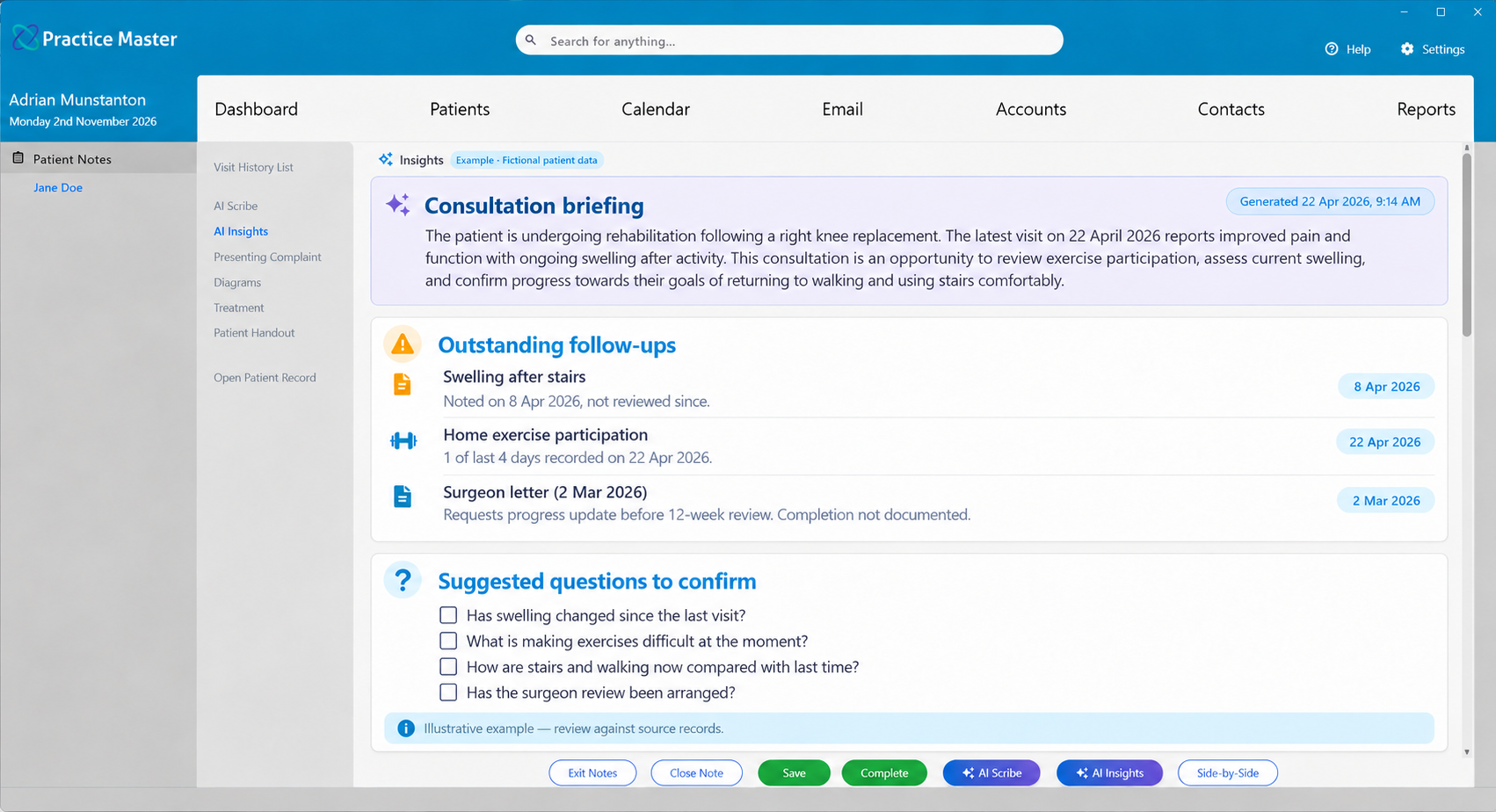
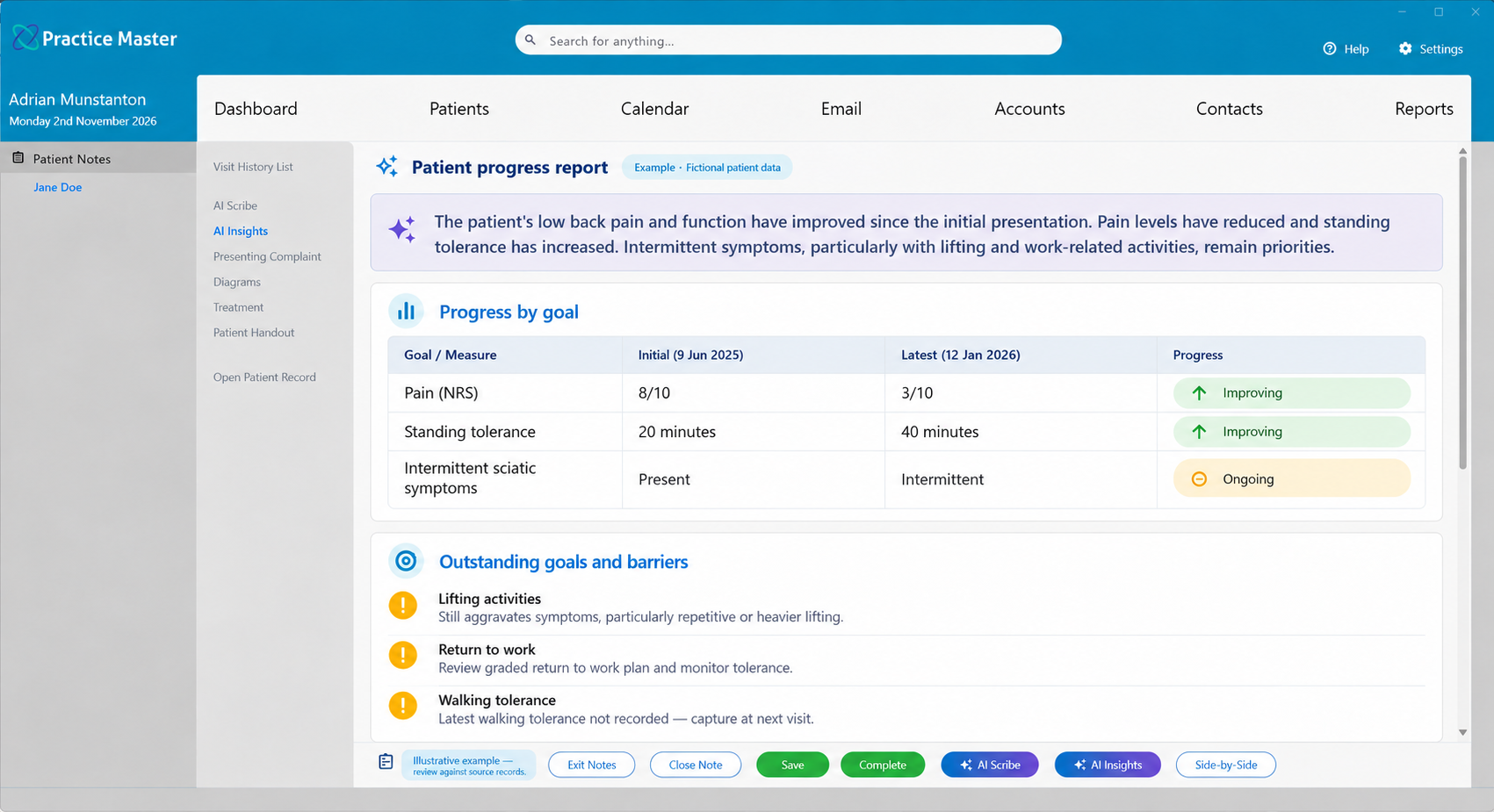
See what's improving, what's deteriorating and what's unchanged across previous treatments. AI Insights can bring together the initial presentation, treatment provided and latest documented status, grouped by condition or treatment goal.
Review the available treatment history by presenting condition or recorded goal. Summarise the initial presentation, treatment provided and latest status. Identify improvement, deterioration or no documented change, with supporting dates. Finish with outstanding goals and documented barriers to progress.
Make this your own: change the focus, reporting period or format, then save the instructions in a dedicated AI Insights tab.
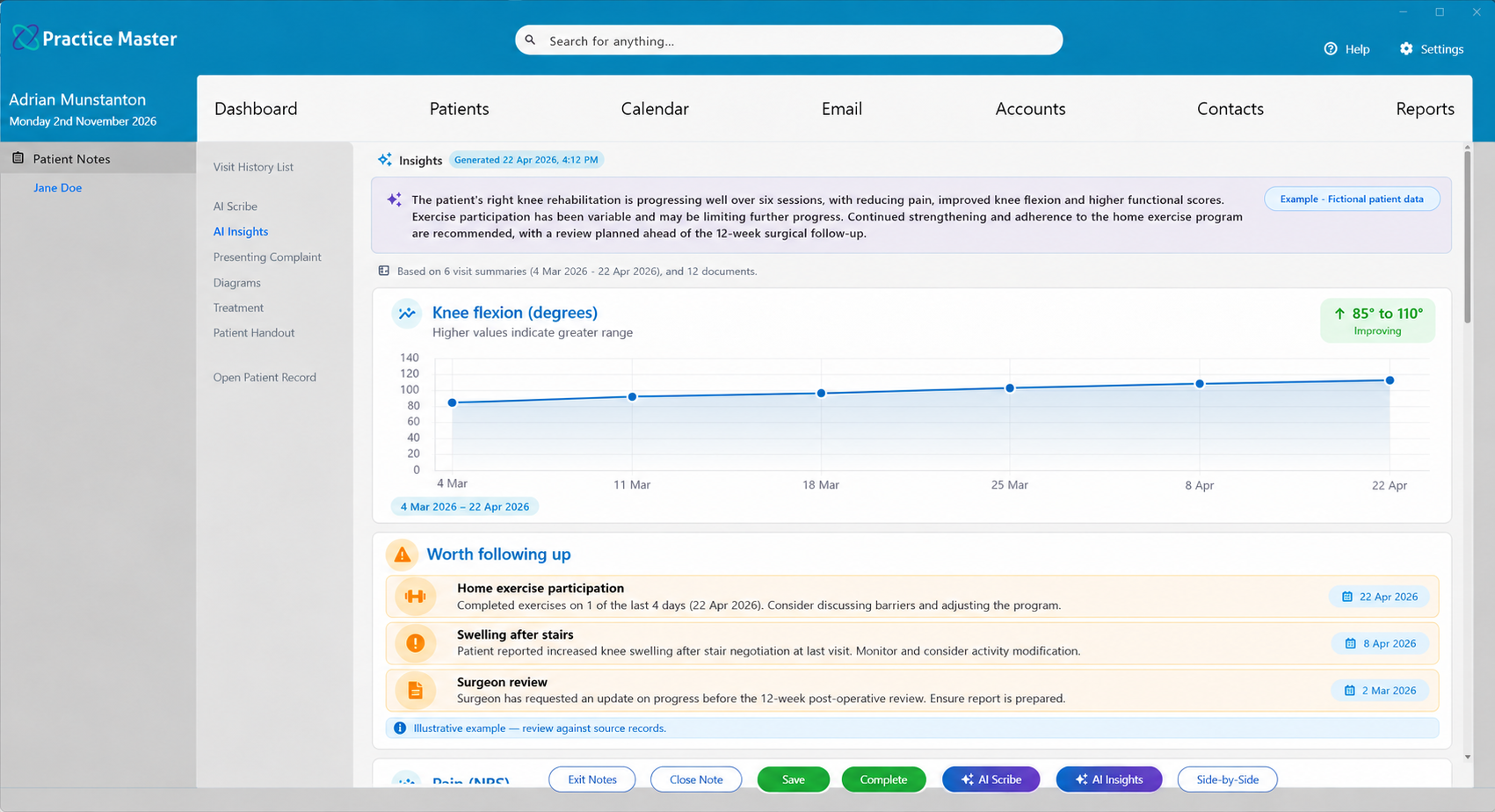
Measurements tell a story across appointments. Ask AI Insights to chart recorded scores and measurements over time, helping you review the direction of change alongside the patient's history.
Summarise rehabilitation progress against recorded goals over the last three months. Chart comparable pain scores, knee flexion and functional scores separately, preserving dates and units. Highlight documented milestones, exercise participation, setbacks and items worth following up. Cite the supporting records and do not estimate missing values.
Make this your own: change the focus, reporting period or format, then save the instructions in a dedicated AI Insights tab.
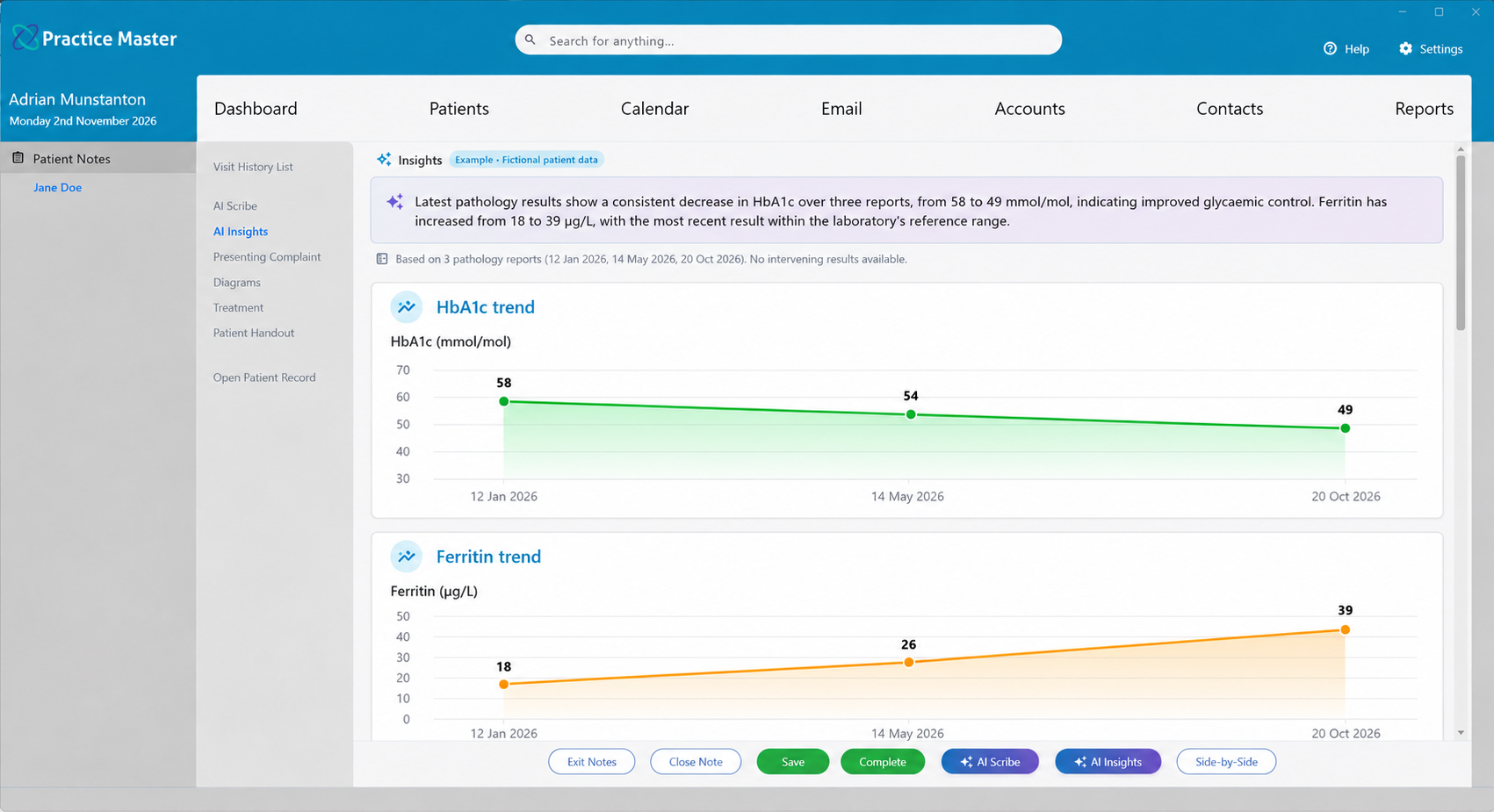
Results spread across several reports can be difficult to compare at a glance. Ask AI Insights to bring together dated pathology values from available attachments, organise them in a table and chart comparable results over time.
Review available pathology reports from the last 12 months. Create a dated table of recorded HbA1c and ferritin results, preserving units and reported reference ranges. Chart each marker separately where comparable values exist. Summarise changes, cite the source reports and identify missing information. Do not estimate missing values or combine incompatible units.
Make this your own: change the focus, reporting period or format, then save the instructions in a dedicated AI Insights tab.
Keep your preferred insights ready to use in your custom patient notes templates.
Add an AI Insights tab to a patient notes template. Give it a name and an AI Hint describing the information and format you want.
Open the tab in the patient's notes and select Generate Insights. Generate a briefing before the consultation or review progress as part of the visit.
Check the results and supporting sources. Adjust your hint and regenerate as needed, or generate again when more records are available.
Explore charts, comparisons and consultation prep built around your patient records and your way of working.