
Contact Details
View and maintain every aspect of a contact record from a single location.
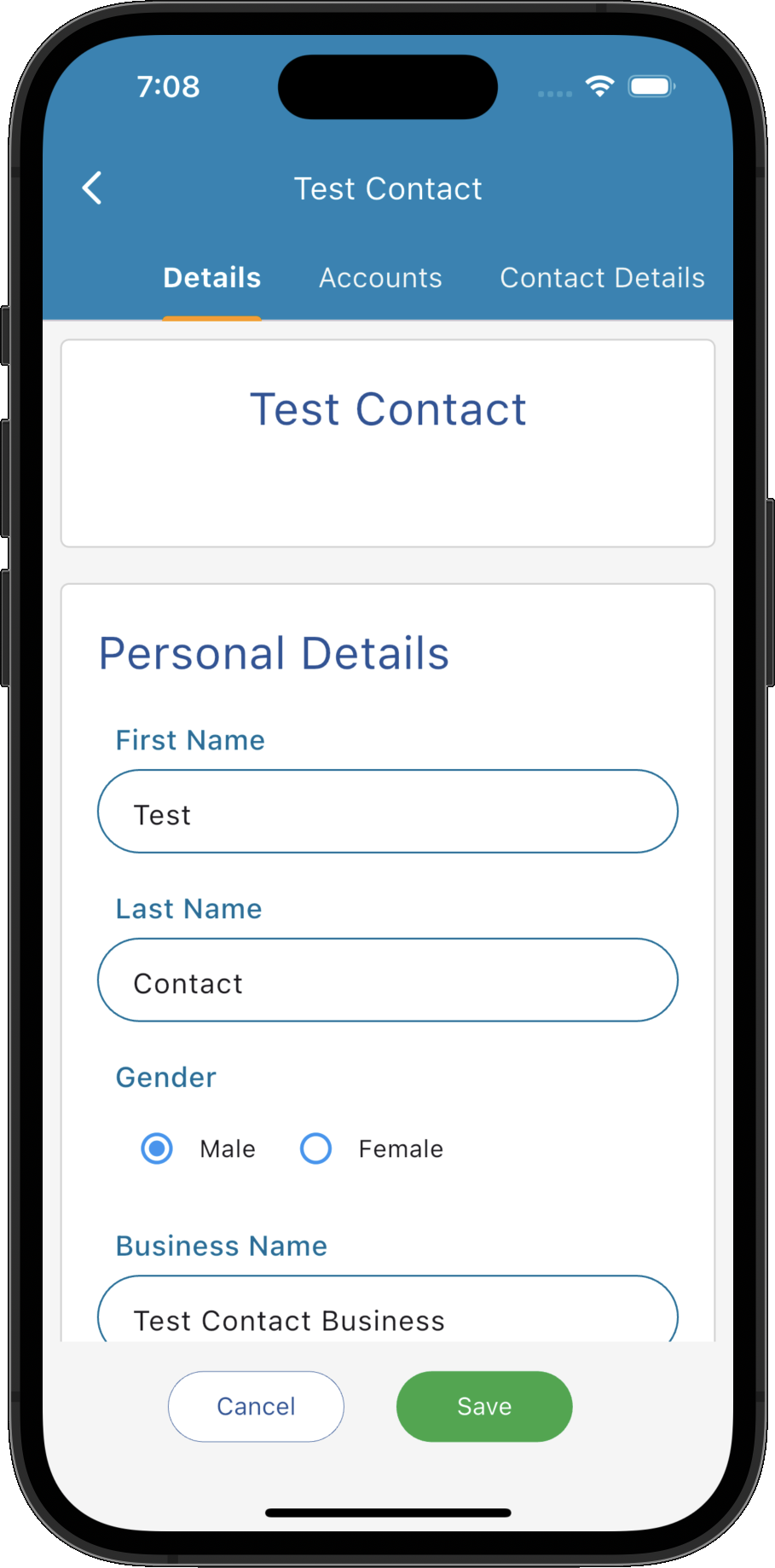
Key Activities
- Maintain all contact information from a single record.
- Quickly navigate between contact information using the tabs on the left.
- Changes are saved immediately to the contact's permanent record.
Overview
The Contact Record provides a complete view of all information relating to a contact. Information is organised into a series of tabs, allowing demographic details, accounts, documents, referrals and other information to remain logically organised.
This page describes the Contact Details tab, where the contact's personal, contact and other related information can be viewed and updated.
Common Tasks
The following common tasks can help you get the most out of this screen:
Update contact information
- Edit the required fields.
- Click Save.
Screen Reference
A detailed description of various screen elements:
Contact Navigation
- Details
- Accounts
- Contact Details
- Documents & Letters
- Email Messages
- Referrals
The navigation panel on the left provides quick access to every area of the contact's record, including:
Selecting a tab immediately displays that section of the contact's record.
Details
- Names and company name.
- Related company information
- Profession (professions appear in the main contact list and are searchable)
Stores the contact's core demographic information including:
Save
Saves all changes made to the contact's record.
Cancel
Closes the Contact Record without saving any unsaved changes.