
Patient Details
View and maintain every aspect of a patient's record from a single location.
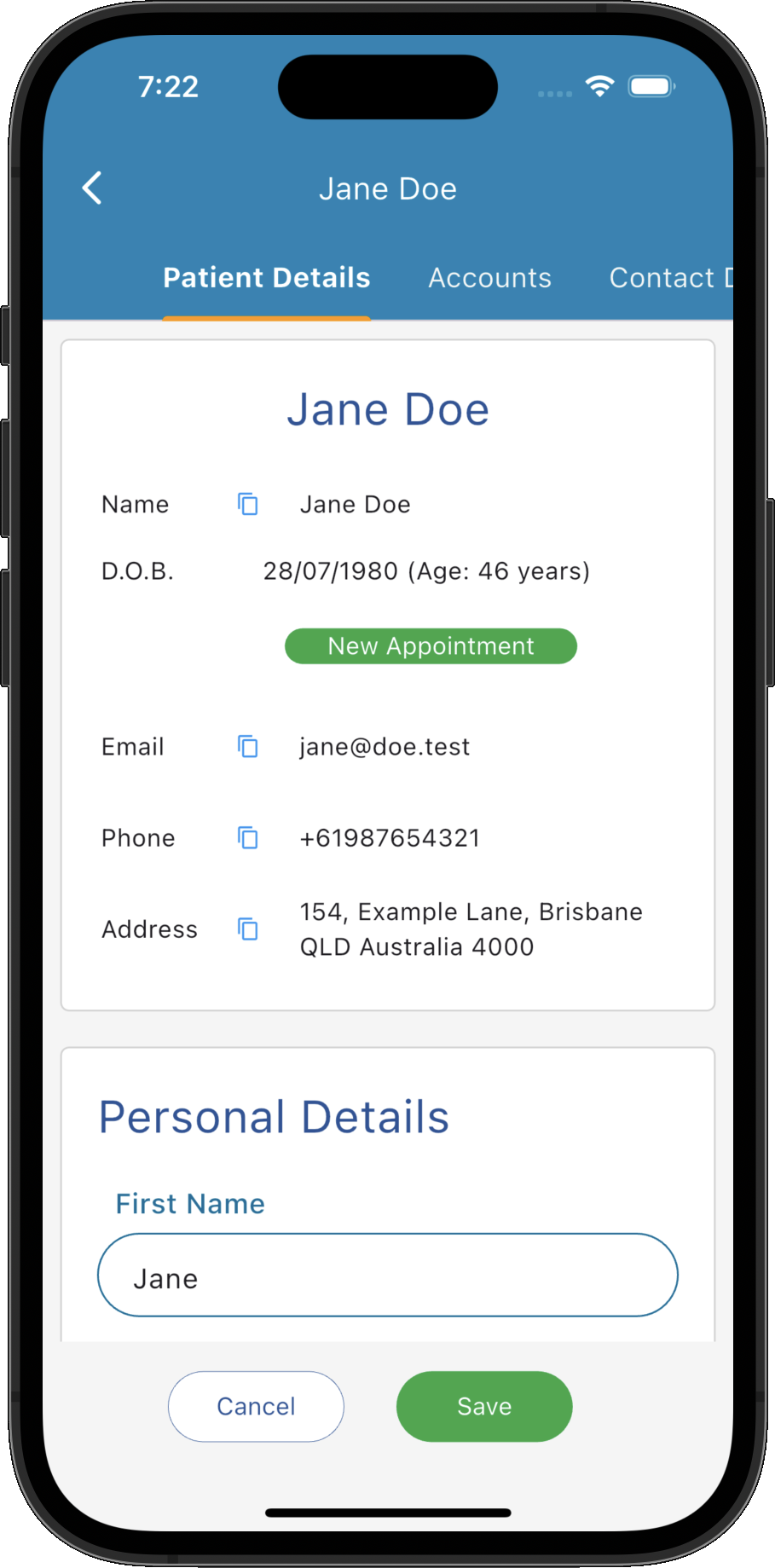
Key Activities
- Maintain all patient information from a single record.
- Quickly navigate between patient information using the tabs on the left.
- Copy important contact details directly from the patient summary header.
- Create new appointments directly from the patient record.
- Update Medicare, health fund and referring practitioner information.
- Changes are saved immediately to the patient's permanent record.
Overview
The Patient Record provides a complete view of all information relating to a patient. Information is organised into a series of tabs, allowing demographic details, appointments, accounts, documents, referrals, prescriptions, intake forms and other information to remain logically organised.
This page describes the Patient Details tab, where the patient's personal, contact and health information can be viewed and updated.
Common Tasks
The following common tasks can help you get the most out of this screen:
Update patient information
- Edit the required fields.
- Click Save.
Create a new appointment
- Click New Appointment.
- Select the appointment details.
- Save the appointment.
Copy patient information
- Click the copy icon beside the patient's name, email address, phone number or address.
- The selected information is copied to the clipboard.
Assign a General Practitioner
- Scroll to the GP Details section.
- Select or change the patient's GP.
- Save the patient record.
Screen Reference
A detailed description of various screen elements:
Patient Navigation
- Patient Details
- Accounts
- Contact Details
- Custom Fields
- Documents & Letters
- Email Messages
- Intake Forms
- Prescriptions
- Referrals
- Open Patient Notes
The navigation panel on the left provides quick access to every area of the patient's record, including:
Selecting a tab immediately displays that section of the patient's record.
Patient Summary
The summary panel displays the patient's most commonly used information, including their name, date of birth, age, email address, telephone number and address.
Copy buttons beside each field allow important information to be copied directly to the clipboard for use elsewhere.
New Appointment
Creates a new appointment for the current patient without leaving the Patient Record.
Personal Details
- Names and preferred name.
- Date of birth and calculated age.
- Occupation.
- Appointment colour.
- Birth sex and gender identity.
- Timezone.
- Reminder and marketing preferences.
- Critical information and general notes.
Stores the patient's core demographic information including:
Emergency Contact
Records the person who should be contacted in the event of an emergency, together with their relationship and contact details.
Relationships
Records family information including marital status, partner, children and parent or guardian details.
Parent information may also be used when generating invoices for child patients where appropriate.
GP Details
Stores the patient's regular General Practitioner and Medicare referral information where applicable.
This information can be reused when creating referrals, Medicare claims and clinical correspondence.
Health Cards
- Medicare card number and reference number.
- Medicare referring practitioner details.
- Referral issue date.
- Private health fund.
- Private health fund membership number.
Stores health funding information including:
Save
Saves all changes made to the patient's record.
Cancel
Closes the Patient Record without saving any unsaved changes.