
Handouts
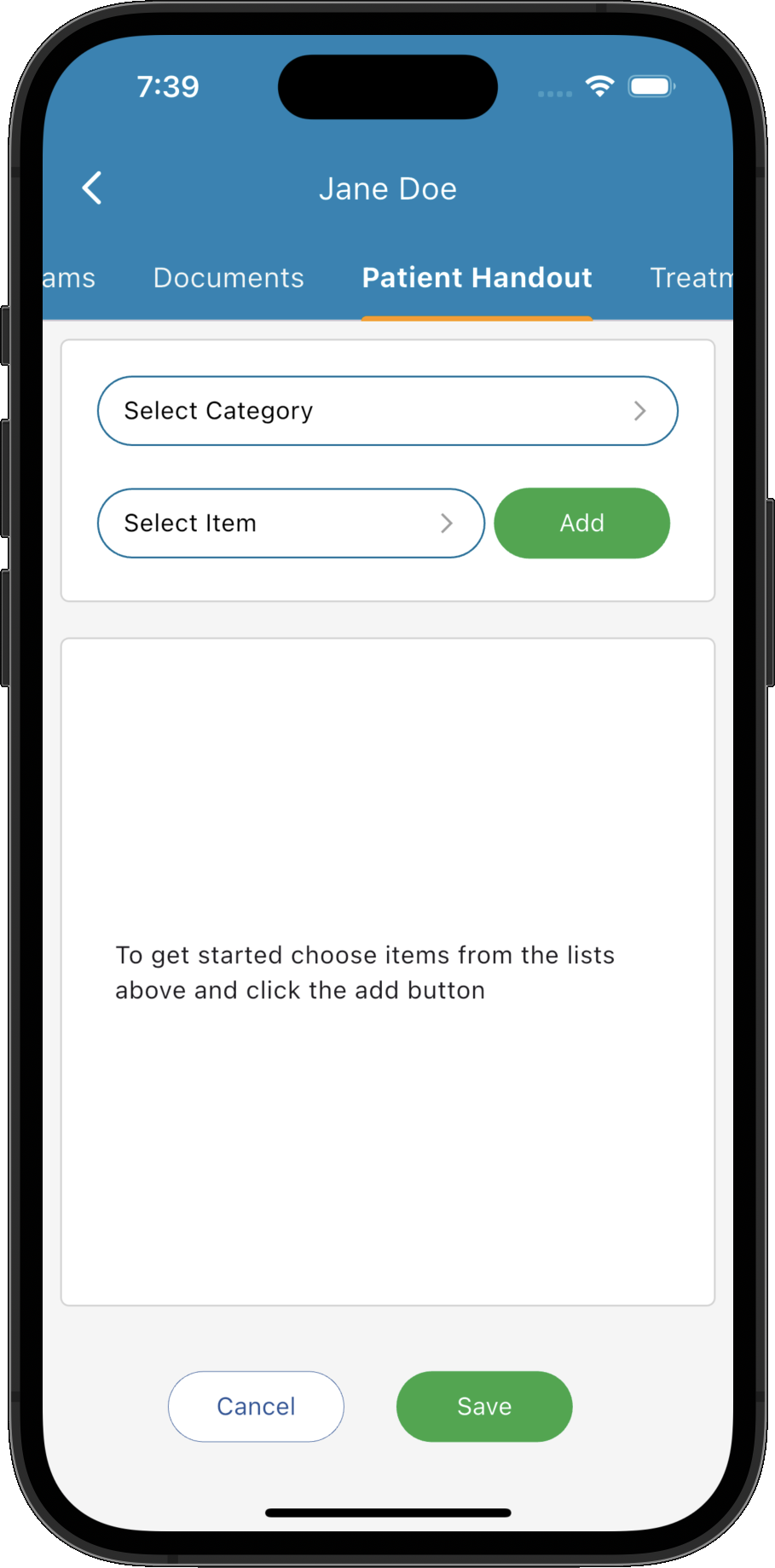
Patient Handouts allow you to quickly build personalised information sheets by combining reusable content blocks that can be printed, emailed or saved for each patient.
Key Activities
- Create personalised handouts in just a few minutes.
- Build documents by dragging reusable items into the handout.
- Edit and customise individual items for each patient.
- Reorder sections to suit the patient's treatment plan.
- Print, email or save completed handouts.
Overview
Patient Handouts provide an easy way to create customised take-home information for your patients. Rather than writing instructions from scratch each time, you can build a library of reusable handout items and combine them into personalised documents in just a few moments.
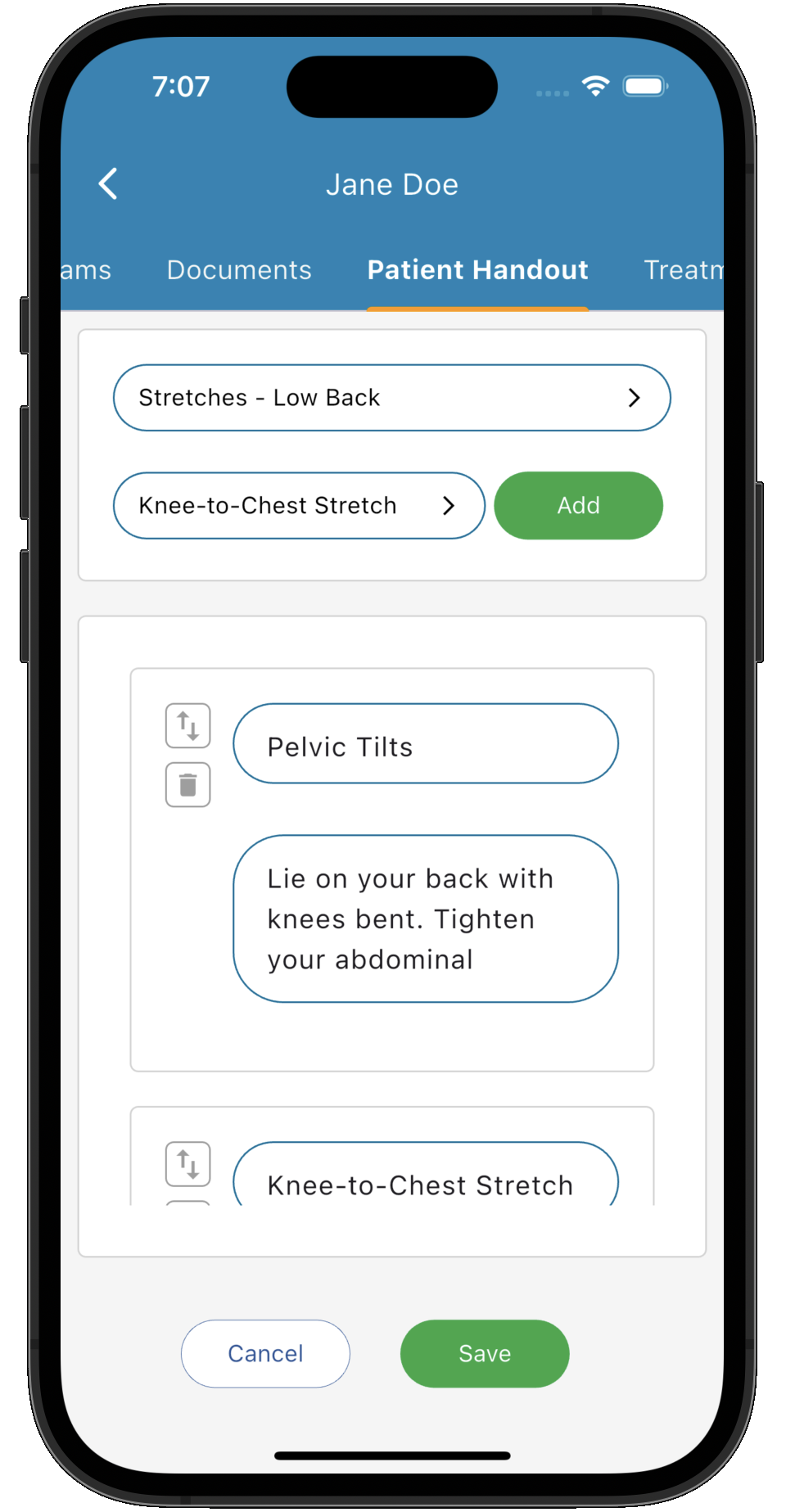
Handout items are organised into categories to make them easy to find. Simply select a category, then drag the required items onto the handout where they can be reordered, edited and customised specifically for the current patient.
Handouts are suitable for far more than exercise programs. They can be used for rehabilitation plans, stretches, strengthening exercises, home care advice, nutritional guidance, recipes, lifestyle recommendations, post-treatment instructions, educational material or any other information you regularly provide to patients.
Once complete, handouts can be printed, emailed directly to the patient or saved for future reference as part of the patient's clinical record.
Common Tasks
The following common tasks can help you get the most out of this screen:
Creating a Patient Handout
- Select a category from the Categories panel.
- Browse the available handout items.
- Drag the required items into the handout area.
- Edit the content where required for the individual patient.
- Reorder the items into the desired sequence.
- Print, email or save the completed handout.
Customising a Handout
- Add only the information relevant to the patient's condition.
- Edit instructions to suit the patient's abilities.
- Remove unnecessary sections.
- Arrange exercises or recommendations in the preferred order.
Screen Reference
A detailed description of various screen elements:
Categories
Categories organise your handout library into logical groups such as stretching, strengthening, mobility, nutrition or rehabilitation. Selecting a category filters the available handout items.
Items
The Items panel displays every handout available within the selected category. Drag an item from this list onto the main handout to include it in the patient's document.
Handout Editor
The main editor contains the patient's handout. Each item can be edited independently, allowing you to personalise the wording without affecting the original template. Items can also be reordered or removed as required.
Print, Save and Email
Once the handout has been completed it can be printed, emailed directly to the patient, or saved as part of the patient's consultation.
Tips
Helpful tips for this screen are below:
Build reusable content
Spend time creating a comprehensive library of handout items. Once created, they can be reused across thousands of patients, dramatically reducing documentation time.
Don't limit handouts to exercises
Handouts are suitable for almost any patient education material including exercise programs, rehabilitation plans, ergonomic advice, dietary recommendations, recipes, breathing exercises, sleep advice, mindfulness techniques and post-treatment instructions.
Personalise every patient
Even though handouts are built from reusable items, each item can be edited after it has been added to the document, allowing instructions to be tailored to the individual patient.
Arrange information logically
Drag items into an order that makes sense for the patient. For example, warm-up exercises can appear before strengthening exercises, or dietary advice can follow lifestyle recommendations.
Email instead of printing
Emailing handouts provides patients with a permanent digital copy that can be viewed on their phone, tablet or computer and easily referred to throughout their treatment.